Office add-in development puts your logic where the work already happens — in Excel, Word and Outlook. You get a button and a panel in the ribbon of the program your people keep open all day, connected to your database, somebody else’s API, a folder or SharePoint. There is no separate new tool to learn, and no data has to leave the company. The most common job is Outlook automation: email, attachments and calendar entries that no longer need handling by hand.
Reply within 24 hours · Price before work starts · Free bug fixes for 30 days · The code and accounts are yours
In the Office ribbon, not in a new program
The add-in appears as a tab in the ribbon of Excel, Word, Outlook or PowerPoint. No new icon on the desktop, no second account, and no training for a tool nobody asked for.
Runs in the installed Office
The add-in runs on the computer, over documents and messages that are already there. Data does not have to travel to someone else's server to be processed, and when the network goes down, everything that does not need the internet keeps working.
The infrastructure is not paid for twice
The installer, the ribbon and the update mechanism already exist and are not rebuilt for every client. You pay for what is yours. Why that is so.
Which Office programs I build add-ins for
All of them are VSTO add-ins for the installed Microsoft Office on Windows. Which one is yours and how much work it carries becomes clear after the specification.
Excel
Actions on a spreadsheet that are otherwise done by hand: checking and cleaning up entries, calculating by your rules, exporting into someone else's format, sending a row or the whole sheet into another system. This is where the SEF e-invoice add-in for Excel grew from, which sends e-invoices straight from the sheet.
Word
A document assembled by rules instead of by retyping: filling it from a database or an API, merging and splitting files, processing numbers and tables, making images and formatting consistent throughout the document. This is business process automation where your people already work.
Outlook
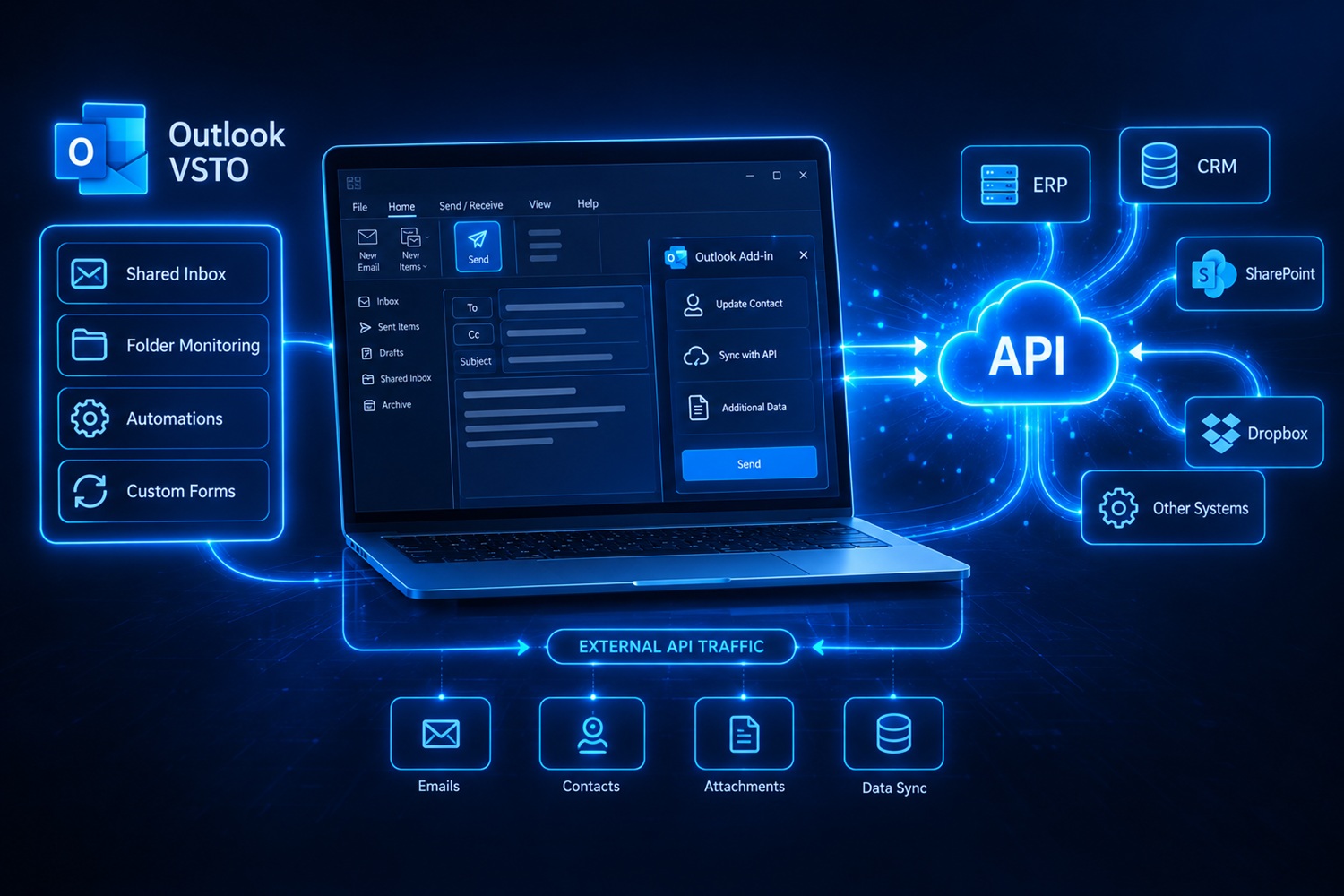
The largest part of my work in Office. Categorising and filtering mail by your rules, saving attachments automatically to the right place, writing a message or a meeting into another system, alerts and reminders around meetings.
PowerPoint
A presentation filled from data instead of by hand: replacing images and texts by a template, making slides consistent, preparing the same material in several versions.
What the add-in can talk to
This is a list of what I can build, not a list of options to tick. What your add-in actually does is settled in the specification — every connection is priced by the work it carries.
- Other people's APIs and services. The add-in sends and retrieves data from your ERP, your CRM or any service with an API: signing in, sending a document, checking a status, fetching a code list. This is how the integrations with productive.io and Dropbox came about.
- Databases. Reading and writing straight from Office, over an existing database on the local network or on a server. If the database itself is the problem, that is separate work and is handled separately.
- Files and folders. Saving to an agreed location by a naming rule, reading incoming files, processing a whole folder at once, exporting into the format the other side requires.
- SharePoint and shared libraries. The document is filed from Office into the place where the company already keeps its documentation, with the fields filled in, instead of being dragged there by hand.
- Email. Advanced filtering, categories and rules that Outlook cannot do on its own, automatic replies on a condition, extracting data from a message and writing it into another system.
Why an add-in costs less than custom software
Every installed program carries a layer of work that has nothing to do with your logic: the installer, the ribbon with its buttons and panels, error reporting, and the mechanism that offers a new version on start-up. With custom software that layer is built again and paid for.
Not with an Office add-in. That part already exists and is called Veseteo — my foundation for VSTO add-ins, on which the work below was built. You pay only for what is yours: the actions, the panels, the connections to your data and the rules the work follows.
The name Veseteo remains only as the signature of the foundation. The ribbon tab, the icons and the command names carry your name and your vocabulary, because that is what your people look at every day.
Client feedback
★★★★★5/5“Dejan has been excellent to work with. He is professional, reliable and highly skilled, consistently delivering high-quality work on time. He communicates clearly, responds quickly to feedback and demonstrates a strong understanding of the project requirements. I would be very happy to continue working with him and highly recommend him to other clients.”
★★★★★5/5“Great news is that version 6 works very well for us and our colleagues. We can say this is, for now, the final version. Thank you for your cooperation so far and have a great time in Vietnam! 😊”
★★★★★5/5“Dejan was extremely helpful and cooperative on this order. We were searching for a solution for 6 months with no luck, until Dejan gave us his service. After producing the first solution, he was on hand to make any modifications we asked for and always willing to communicate with a fast response time. Would definitely recommend Dejan to anyone!”
★★★★★5/5“Dejan was a star. He completed all the assigned tasks on time and was very patient and thorough with his communication and documentation. Thank you, Dejan!”
★★★★★5/5“Dejan was excellent to work with. Took the time to understand my requirements and created a solution. Very happy.”
★★★★★5/5“Dejan showcased exceptional proficiency and diligence, delivering everything on time and with precision. Thanks, Dejan!”
Delivered
This is not an announcement but the largest part of my portfolio: add-ins for Outlook, Word, Excel and PowerPoint, with and without a connection to an external service, including text processing through ChatGPT.

Who works on your project

Dejan Dozet, independent programmer, programming since 2002. I run the work from the first conversation to delivery, with no middlemen.
I build VSTO add-ins for Excel, Word and Outlook on my own foundation, Veseteo, and two of them sell as ready-made products: SEF from Excel and Word-GPT.
Dejan Dozet PR Data Processing Tomislavci, Registration No. 63144568, Tax ID 108005073.
More about mePrices
An add-in for Excel, Outlook or Word starts at $190.42, while custom desktop software starts at $860.22. The difference is not in the amount of work on your logic but in the fact that the infrastructure is not rebuilt. The figure is a lower bound, because the scope depends on the number of actions, integrations and exceptions — the exact price and deadline come after the specification. See also what is not included.
Smaller changes to an add-in that already runs do not have to go through the whole procedure: for those there is hourly work, where you pay for the time spent. The full price list is on the pricing page.
First step: specification and estimate
I do not give a fixed price for an add-in that exists only in the sentence „we need a button in Outlook that sorts this out". So we start with a specification: a fixed price and a written document that stays with you whether or not we continue.
For an Office add-in the document answers five things:
- What the add-in does. A list of commands and panels, written in sentences the person who will use them understands, not only the programmer.
- What it talks to. A database, someone else's API, a folder, SharePoint, a mailbox — every connection separately, because that is usually where most of the work hides.
- Where it is installed. The number of computers, Office versions, 32 or 64 bit, whether a terminal session is involved, who has the right to install.
- Phases and estimate. What goes into the first delivery and what can come later, with a time estimate for each phase.
- What is not worth doing. If part of the job is solved by an existing Office option or a single rule, that is what it will say.
The specification is a separate item with its own price and is ordered straight away, because its scope and deadline are known in advance:
Specification and estimate for a program
A fixed price and a written document that remains yours.
Price 29.900 RSD ($286.10)
This amount is deducted from the price of the work if we continue. If we do not, the document stays with you and you can take it to any contractor.
What I commit to:
- The price and the deadline are given before the work starts, based on a written specification.
- The source code and the installer stay with you, so somebody else can carry the work on.
- Accounts, keys and certificates are in your name.
- Delivery goes in stages, so after each one you see something that works.
- No hidden parts: there is no library only I can change and no check that shuts the program down.
- If the job can be solved with an existing tool or a single report, I will tell you so.
Not included in the price:
I write this so you understand the price before ordering, not after. Everything on the list is something I can do, but it is agreed and charged separately.
- Licences for Windows, Office and paid third-party components.
- A certificate for digitally signing the installer.
- Devices, readers and markers, along with their SDK or manufacturer licence.
- Work on the database itself: a new schema, query tuning and data migration.
- AI features inside the program, which are a separate service with their own analysis.
- Installation on each individual computer and user training beyond one introductory session.
- Mobile applications for iOS and Android.
Before we start, prepare:
- A description of the job the program is to take over, even if only a few sentences.
- The name of the person who does that job today and may decide how the program should behave.
- Samples of the files, spreadsheets and reports that are worked with.
- The number of computers and the Windows versions, and whether work goes through a remote desktop.
- Access to the device or the other system the program has to talk to, with the manufacturer's documentation.
What this is not
So that you do not pay for a specification for work that has its own page and its own price.
Not a program that stands on its own
When the work does not belong to Office but needs its own window, a background service or a connection to a device, that is Windows program development. An add-in lives inside Office and goes down with it; a program does not.
Not a macro in a document
A VBA macro travels inside the file, gets lost when the file is shared and every user ends up with their own version. An add-in is installed on the computer, is the same for everyone and is updated from one place. I can also turn an existing macro into an add-in.
Not AI integration
If Office needs an assistant over your documents or processing by a language model, that is artificial intelligence integration, with its own analysis and its own price. The add-in itself is built here.
Not off-the-shelf software
Add-ins that are bought and downloaded straight away are among the products, with a fixed price and no waiting. What is built here is what such an add-in does not cover — work tailored to you, to your workflow and your exceptions.
Frequently asked questions
Not sure whether you need an add-in or a program?
Describe the job in a few sentences — who does it, in which program and where it gets stuck. I will tell you whether the answer is an add-in in Office, a separate program or something else entirely.
Send an enquiryI usually reply the same day.

Leave a Comment