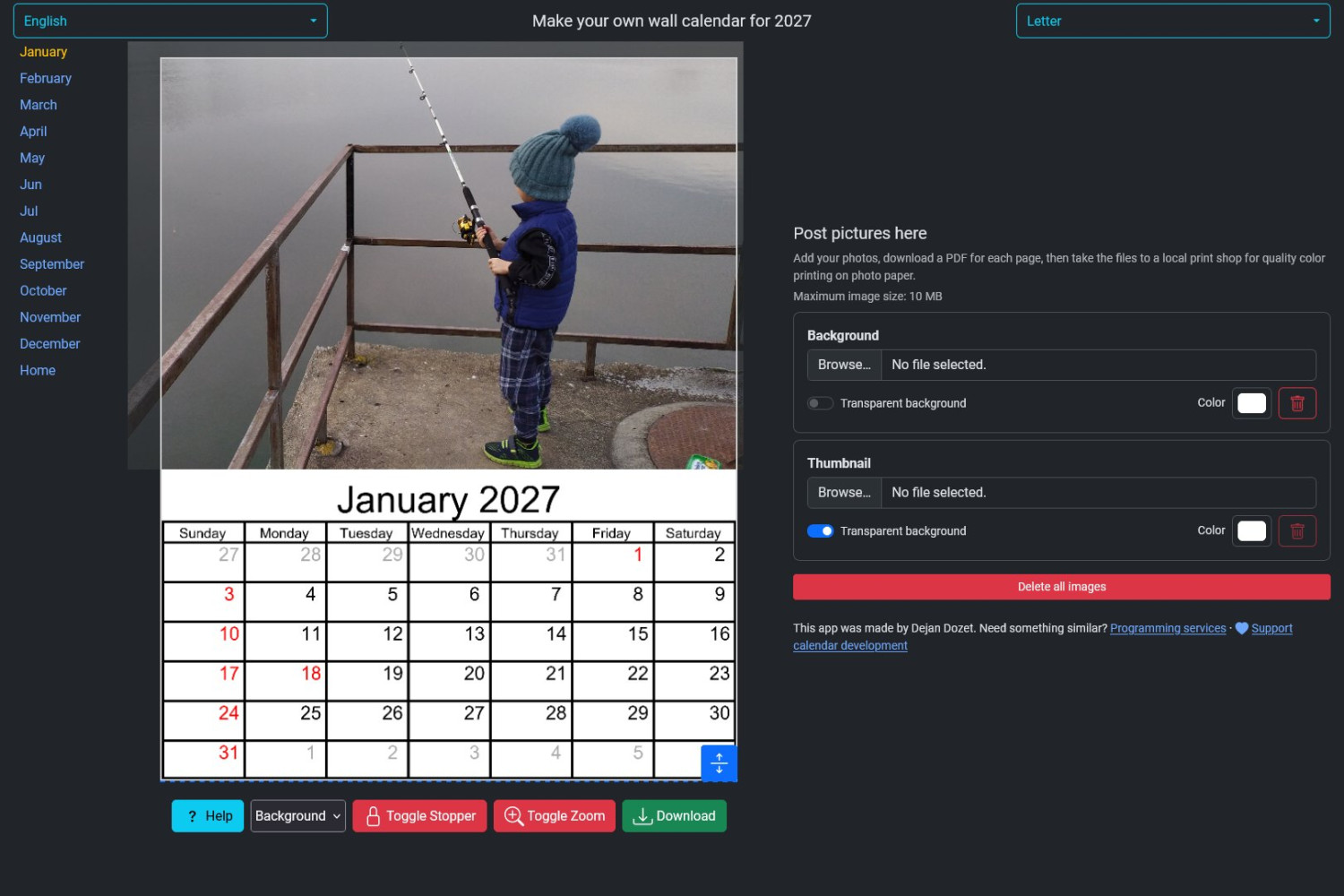
Wall calendar with your own photos can be prepared directly in a browser at kalendar.dejandozet.com. The user selects a format and language, adds photos, adjusts their placement, and downloads the cover or an individual monthly page as a print-ready PDF.
This online wall calendar creator is an example of an interactive web application I developed so that the entire design can be completed without installing graphics software. The result is a printable photo calendar with images selected and arranged by the user, while the application provides the calendar base, dates, and page dimensions.
The problem the application solves
Preparing a personalised wall calendar usually requires graphics software or help from a designer. Besides inserting photos, someone has to create a page for every month, arrange the dates correctly, and prepare the document in exact dimensions for printing. The same work is repeated when a different format or language is needed.
The goal of the project was to bring those requirements together in a straightforward web application. Users should be able to see the final layout while working and then download each completed page in a format suitable for a print or copy shop.
The calendar creation solution
Instead of conventional graphics software, the project provides a web application that combines a ready-made calendar base with space for a personal design. Users see the future page on screen, arrange their photos freely, and receive a separate PDF for the cover or selected month.
A demanding part of the work was keeping the preview usable across several page sizes and different devices while ensuring that the downloaded document retains its print layout. The application therefore supports three formats, several languages, and separate editing for every calendar page.
The Serbian calendar is available in Cyrillic, alongside English, German, and Vietnamese versions. For each language, the application uses the appropriate month and day names, first day of the week, and holiday information included in the calendar templates.
Application features
- a cover and 12 monthly pages that can be edited and downloaded separately;
- three print formats: A4, Letter, and A3+;
- photo positioning and zoom directly on the browser workspace;
- position locking to prevent a photo from accidentally leaving its intended area;
- an additional smaller image with adjustable position and size;
- background and mask colours with adjustable transparency;
- settings retained in the browser so work can continue when moving to another month;
- individual-page PDF export with margins suited to the selected format.
Photo protection
Users retain control over the photos they add to the application. They can remove an individual image or delete all uploaded photos when their work is finished. The application instructions clearly state that photos are stored for no longer than one month from the first upload and are not published, reviewed, or copied.
Technologies used
- HTML and CSS and Bootstrap;
- JavaScript, Canvas, and jsPDF;
- PHP;
- Python and Pillow.
The solution was developed as part of my web programming work. The first version of the site was created at the end of 2021, while the current application covers multiple formats, languages, and calendar templates.
Project result
In one application, users prepare a personalised cover and monthly pages, see the result immediately, and receive PDF pages ready for printing. Dates, day arrangement, and basic dimensions are already handled by the template, allowing users to focus on choosing photos and the appearance of their calendar.
Open kalendar.dejandozet.com and create your own wall calendar design.
Leave a Comment