Programs that do not just work with data but control real equipment: laser markers in production, barcode readers, scanners and fingerprint readers. In this kind of work, a mistake does not only show up on screen but on the product or the machine, so the software has to be reliable, predictable and clear about every state it is in. I build programs like these as part of my Windows programs and background services development service.
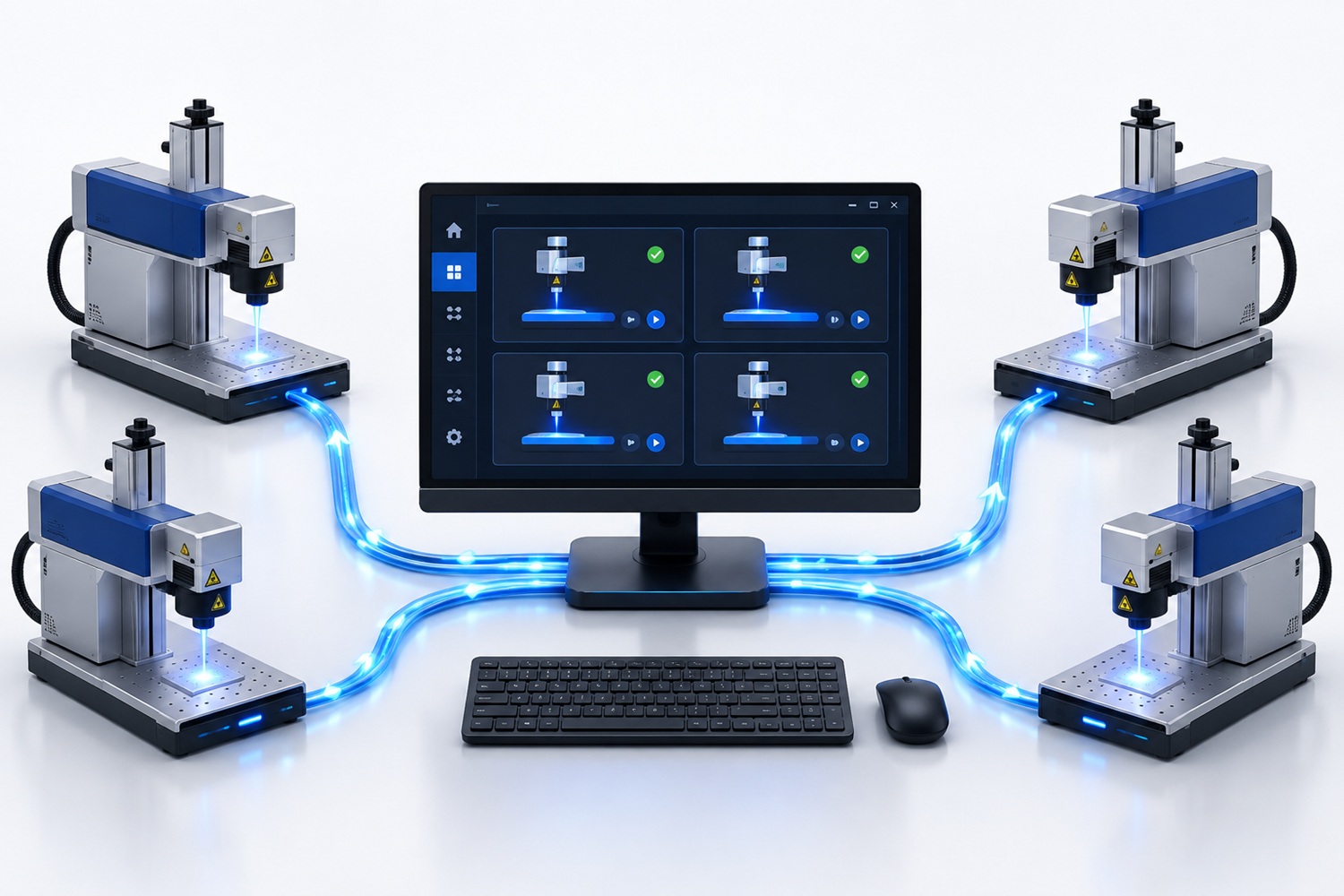
Windows service for parallel control of laser markers
Built in the second quarter of 2026.
Problem
The client's production software had to control several EZCAD3 laser marking controllers, with the active laser units working at the same time. Until then, the main production software had to drive the EZCAD3 application directly. The main programming challenge was reliably connecting managed C# code to the native 64-bit EZCAD3 SDK, where any error in working with a controller can stop or ruin the marking.
Solution
A dedicated Windows service was developed that sits between the production software and the controllers:
- a local HTTP/JSON API: the service receives jobs from the production software;
- independent controller preparation: each controller is prepared separately, and the active laser units start in parallel, with a common start and a wait until all of them finish;
- controlled states: the service tracks preparation, execution, completion, cancellation and errors, and does not allow commands that must not overlap;
- a modular structure: parts of the solution can be tested and changed separately;
- verification without equipment: the whole flow could be checked in simulation before remote testing on a real Windows machine with connected equipment;
- diagnostics: structured logs record state changes, operation durations and errors, which makes commissioning and later maintenance easier;
- reliability: input validation, safe stopping, timeouts for SDK calls and a predictable return of the system to its initial state.
Automated tests cover the API and the workflow in simulation, while work with real controllers was verified gradually, first on a single unit and then in parallel mode. The software controls the process and signals, but it does not replace the machine's independent hardware safety circuits.
Technologies used
- C# programming language (programiranje.co.rs), .NET and ASP.NET Core
- Windows Service and HTTP/JSON API
- EZCAD3 SDK and P/Invoke
- asynchronous and parallel programming
- automated tests and structured logging
Result
The client got a modular service that means the main production software no longer has to drive the EZCAD3 application directly. The solution prepares multiple controllers, coordinates execution, reports status and provides enough technical data for reliable diagnostics, without exposing details of the production process.
Client feedback
★★★★★5/5“Exceptional work! Highly organized, very good communications. Very satisfied with his work.”
Laser marking application with barcode scanning
Built in the second quarter of 2021.
Problem
The client had a C# application connected to the EZCAD 3 laser processing software that needed better functionality and easier use. The operator had to scan a barcode, receive information and confirmations, and then edit the text to be laser-marked based on the scanned code — all without any way to start marking by mistake before everything was checked and the machine was safe.
Solution
The application was redesigned around a multi-step process, with barcode scanning at its core:
- multi-step interaction: a series of screens guides the operator through barcode scanning, confirmations and editing;
- barcode-driven behaviour: after scanning, the application reveals the matching text fields and shows an overview of the items related to that code;
- editable fields: for the scanned barcode the operator gets a predefined number of fields to adjust the laser marking details;
- safety: after confirmation the software signals that the doors must close, so the machine is used safely;
- final notice and confirmation: before the marking itself, the operator gets a final notice and must confirm the entry, for accuracy.
Technologies used
- C# programming language (programiranje.co.rs): the primary language of the application.
- EZCAD 3 SDK: laser software whose functions had to be understood well to fit in all the required capabilities.
- Barcode reader: the input the whole process starts from.
Result
The operator goes through a clear sequence of steps from scanning to marking, with fields tailored to each barcode and confirmations that prevent mistakes and protect the machine. The service for parallel control of multiple controllers, described above, later built on this experience.
.NET program for controlling multiple devices over sockets
Built in the first quarter of 2021.
Problem
The client needed help from an experienced Windows .NET programmer, because they had more work than they could handle, including smaller projects. The main task was a program that receives many commands over sockets and controls a wide range of devices — from scanners to fingerprint readers. The work was done without the possibility of testing everything on the devices right away, so clear requirements and communication were essential.
Solution
A .NET application was developed that receives commands over sockets and passes them to the devices:
- socket communication: the program reliably processes multiple commands and responds in real time;
- control of multiple devices: the same program works with different equipment, from scanners to fingerprint readers;
- teamwork: the program was built in cooperation with the client's lead programmer, to meet all the given requirements;
- clear communication: even without immediate testing, the requirements were understood without misunderstandings, so the work went smoothly.
Technologies used
- VB.NET programming language: building and optimizing the application.
- Socket programming: communication and control of multiple devices.
Result
The client got a program that controls different devices through a single command channel, and help that took the load off their team.
Do you need a program that controls equipment?
What development includes, how the price is set and how the work proceeds is described on the Windows programs and background services page. See programs that automate work with files and Office applications among the Windows automation software examples, and find other work among the hardware integration references.
Leave a Comment