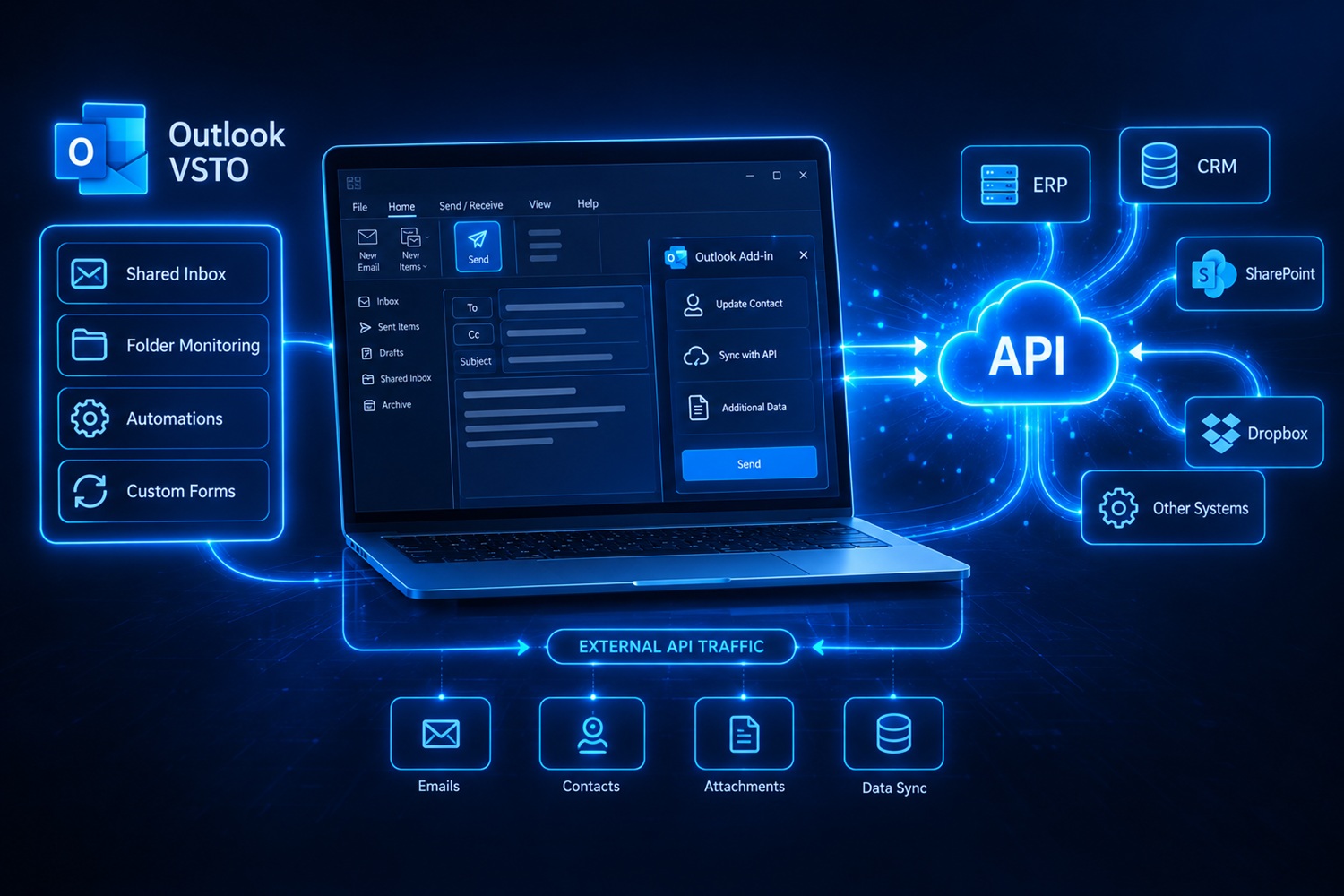
VSTO add-ins for Microsoft Outlook that share one job: Outlook has to talk to something that is not Outlook. To the REST API of a business system, to Dropbox and SharePoint, or to a task management platform. In each case the user stays inside the program they keep open all day anyway, while the data exchange happens behind a button or on its own.
If you need a similar add-in, prices and the way the work runs are on the Office add-in development page.
Contact updates and an API call after sending a message
Built in the third quarter of 2023.
The client required a sophisticated VSTO add-in for Microsoft Outlook developed in C#. The add-in is designed to enhance email functionality by integrating a custom form that triggers upon sending an email, allowing for immediate updates to contact information and seamless interaction with an external API.
Objective
The goal is to streamline the process of updating contact information and interacting with external systems via API immediately after an email is sent, enhancing data accuracy and operational efficiency.
Key Features
- Custom Form Trigger: A custom form pops up when the email send button is pressed, prompting the user for additional inputs and updates.
- API Integration: After updating contact details, the add-in sends the modified data, along with email contents and attachments, to a specified API using multipart/form-data.
- Seamless Email Integration: Ensures that the email sending process remains intact and functional after the API call, maintaining the usual workflow with enhanced functionality.
- Ribbon (Visual Designer): Easy and quick for most needs.
Technologies Used
- VSTO (Visual Studio Tools for Office): Utilized for creating the Outlook add-in within the Microsoft Office ecosystem.
- C# Programming Language (programiranje.co.rs): Used for developing the add-in.
- REST API: Enables interaction with external systems to update and synchronize data efficiently.
Client feedback
★★★★★5/5“Great work!!”
Automatic email archiving to PDF
Built in the second quarter of 2025, extended until the first quarter of 2026.
I built a VSTO add-in for Microsoft Outlook that watches one selected mailbox and turns every incoming message into a single PDF document, attachments included, then sends it into the client's business system. The user does nothing: mail arrives as it always did, while archiving happens in the background, inside the program employees keep open all day anyway.
The engineering challenge
The hard part was not producing the PDF but catching the message reliably. The Outlook new-mail event can report several messages at once, can fire before a message has been fully downloaded from the server and, in unlucky cases, can fire twice for the same message. On top of that, working with Outlook objects has to stay on the main thread, while building a PDF and uploading it take far too long to be done there — otherwise the program would freeze while the user is typing a reply.
The second challenge was the attachments. PDF files arriving by mail are often damaged or produced by tools that ignore the standard, so the merging library rejects them. The solution had to accept them rather than stop at the first malformed document.
How the solution is organised
- One mailbox is watched – the add-in follows exactly the mailbox selected in its settings and leaves messages from other accounts in the same Outlook profile alone.
- A stable message key – recognition relies on the standard message identifier read directly from MAPI properties. When the identifier has not arrived yet, the add-in waits and tries again, and as a last resort computes a fingerprint from sender, subject and time of receipt. No message is ever processed twice.
- Work split across threads – reading the message and its attachments stays on the main thread, where Outlook demands it, while PDF creation and upload run asynchronously. The number of concurrent jobs is capped, so the add-in does not overload the machine when several messages land at once.
- One document instead of a pile of files – the message body is turned into HTML with a header (sender, recipients, time, subject), images embedded from the message itself and attachments rendered inline, and all of it is printed to PDF. Attached PDF documents are merged into the same file, and formats that cannot be rendered are listed by name, so nothing silently disappears.
- Repair of malformed PDF attachments – before merging, every attached PDF goes through a repair tool, in two passes with different options. If neither works, the original is used and the job carries on.
- A switch in the Outlook ribbon – a dedicated tab with an enable checkbox and a settings button. Turning it off also stops jobs already in flight, through cancellation tokens.
- Settings that explain themselves – every setting carries its description in a separate file, so the dialog states what each field means without a separate manual.
Reliability and edge cases
The attention went into details that only show up in daily use: releasing COM objects properly so Outlook does not linger in memory, time limits for the external tools, deleting temporary files after every job, and a log entry for each stage — from picking up the message to confirmation that the document was received. When an upload fails, the error is recorded and it is clear which message did not go through, instead of vanishing in silence.
A version upgrade keeps the settings entered earlier, so nobody has to configure anything again after an update.
Technologies used
C#, .NET Framework 4.8, Outlook VSTO add-in, Outlook Interop and MAPI properties, custom ribbon (Ribbon XML), asynchronous programming with capped concurrency and cancellation tokens, PDF generation from HTML, merging and repair of PDF documents, HTTP/JSON communication with a backend system.
Outcome
The client got archiving that does not depend on staff discipline. A message and its attachments end up as one document in the business system the moment they arrive, with no downloading, printing to PDF and manual attaching. The add-in works quietly, can be switched off with one click and changes nothing about how people use Outlook.
Client feedback
★★★★★5/5“Dejan has been excellent to work with. He is professional, reliable and highly skilled, consistently delivering high-quality work on time. He communicates clearly, responds quickly to feedback and demonstrates a strong understanding of the project requirements. I would be very happy to continue working with him and highly recommend him to other clients.”
Dropbox, Excel and SharePoint from Outlook
Built in the second quarter of 2024.
The client required a VSTO add-in for Microsoft Outlook (microsoft.com), developed to automate the process of converting and handling files from Dropbox. The add-in needed to fetch CSV files from Dropbox, convert them to XLSX format on the user's computer, and perform further data manipulations including exporting specific Excel sheets to PDF. These documents would then be sent to a designated email or shared via SharePoint upon a button click.
Objective
The main goal of this add-in is to streamline the handling of document formats and automate the distribution of files, enhancing workflow efficiency within a corporate environment.
Key Features
- File Conversion: Automatically converts CSV files from Dropbox to XLSX format on the user's local machine.
- Data Processing: Extracts data based on specific date criteria, facilitating timely and relevant data management.
- Document Export: Capable of exporting Excel sheets to PDF, preparing them for distribution.
- Email and SharePoint Integration: Sends the final documents via email or uploads them to SharePoint, based on user actions.
- Ribbon (Visual Designer): Easy and quick for most needs.
Technologies Used
- VSTO (Visual Studio Tools for Office): Used for integrating the add-in with Microsoft Outlook.
- C# Programming Language (programiranje.co.rs): Used for developing the add-in.
- Dropbox API: Utilized for accessing and managing files stored on Dropbox.
- Outlook and SharePoint: Platforms for sending and sharing the processed documents.
Creating tasks on Productive.io
Built in the fourth quarter of 2024.
The project was implemented at the request and in close collaboration with the Aestus (aestus.hr) team, ensuring precise implementation of their requirements and integration with the Productive.io (productive.io) platform. The goal is to develop a VSTO add-in for the Microsoft Outlook desktop version, enabling the conversion of emails into tasks on the Productive.io platform. The add-in was tested on Windows 10 and 11 systems and successfully uses the Productive API (productive.io) to implement all required functionalities.
Goal
To enable Outlook users to efficiently create tasks on Productive.io directly from emails, using a custom side panel and validation messages.
Key Features
- Task Creation: A task creation icon appears in Outlook when an email is opened. Clicking it opens a side window for data entry.
- Data Validation: Checks if required fields are filled before creating a task.
- Email Content Input: Sender, subject, date, and email text are automatically entered into the task description on Productive.io.
- Multiple Tasks: Allows creating multiple tasks from a single email.
- Task Linking: A link to the created task is added to the email.
Technologies Used
- C# Programming Language (programiranje.co.rs) and VSTO: Development of the add-in for the Outlook desktop version.
- Productive API: Integration for task creation and management.
- Windows 10 and 11: Compatibility testing on modern operating systems.
Client feedback
★★★★★5/5“Great news is that version 6 works very well for us and our colleagues. We can say this is, for now, the final version. Thank you for your cooperation so far and have a great time in Vietnam! 😊”
Do you need a similar add-in?
Every project on this page was built on the same foundation and by the same procedure: specification first, development after. What the price covers, what it does not and how the installation works is on the Office add-in development page. Other work in Excel, Word and PowerPoint can be found among the Office add-in references.
Leave a Comment