VSTO add-ins for Microsoft Outlook that put in order what is already inside Outlook: mail, attachments and the calendar. No external service and no leaving the program — the add-in works on the messages and meetings that are already there, by rules the user sets.
If you need a similar add-in, prices and the way the work runs are on the Office add-in development page. For add-ins that talk to external services, see the Outlook add-ins with API integration.
Email categorisation in a shared mailbox
Built in the third quarter of 2022.
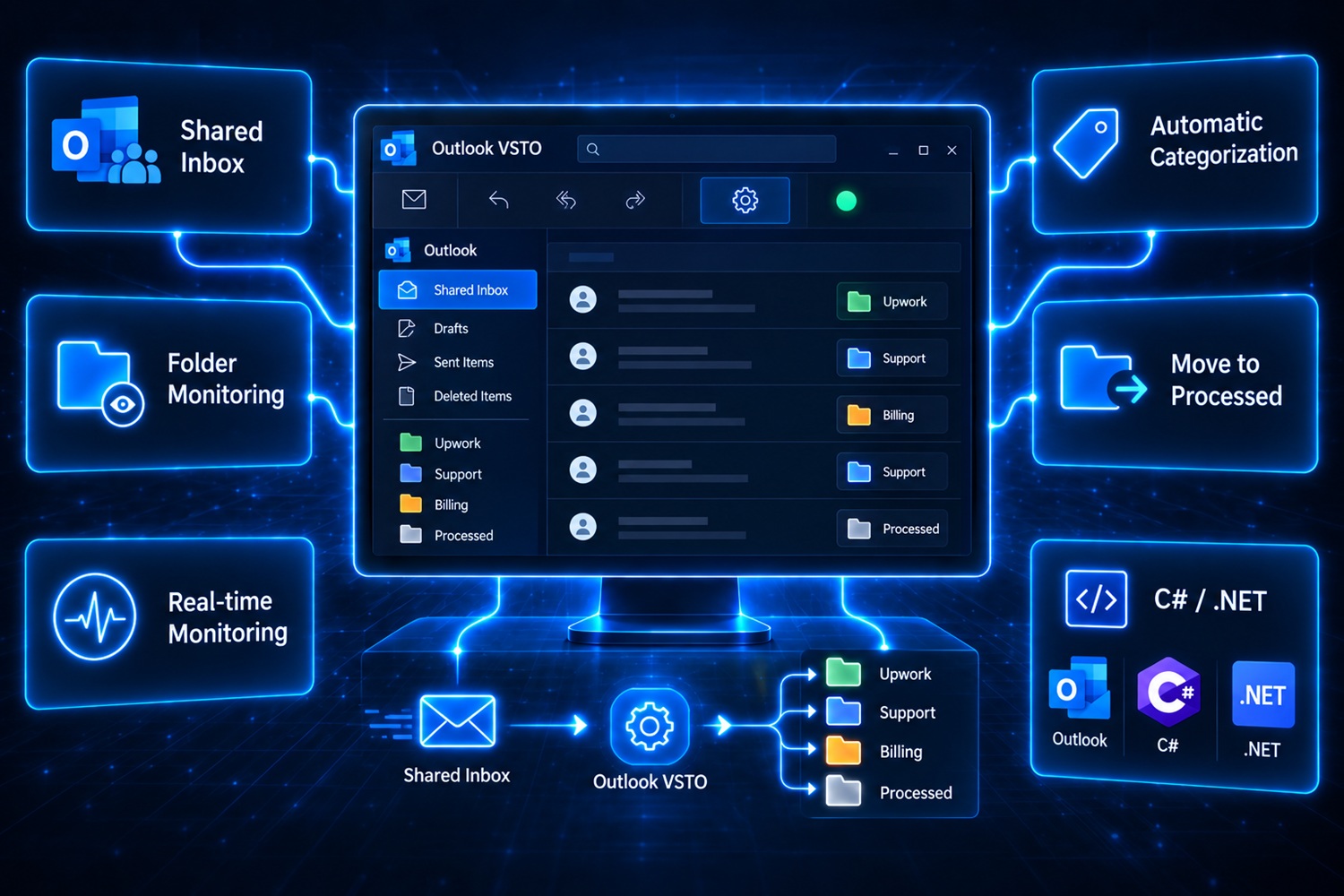
The client's shared email inbox, accessed by multiple employees, needed streamlining. Traditionally, an employee would manually forward various emails and sort them into distinct subfolders. For example, an email from Upwork would be placed in an Upwork subfolder. The core requirement was to create a VSTO add-in that automated the process of transferring emails from an initial subfolder to a designated "Processed" subfolder.
Objective
Develop a VSTO add-in for Outlook to automate and refine the email categorization process within a shared mailbox, thus enhancing efficiency and reducing manual tasks.
Key Features
- Folder Monitoring: Using the VSTO add-in, ensure constant monitoring of the shared inbox's primary subfolder for any changes.
- Email Movement Automation: Once an employee moves an email to the "Processed" folder, the add-in activates predefined actions automatically.
- Categorization: Harness the VSTO add-in to automate the categorization of emails into specific subfolders based on their content or sender.
- Seamless Integration: The add-in smoothly blends into the existing email workflow, offering users an intuitive and hassle-free experience.
- Ribbon (Visual Designer): Easy and quick for most needs.
Technologies Used
- Outlook VSTO (Visual Studio Tools for Office) Add-in in C# Programming Language (programiranje.co.rs): Developed a custom VSTO add-in using C# to enhance Outlook's capabilities and offer real-time email monitoring and automation.
- Email Monitoring: Embedded features in the add-in to immediately detect when emails are relocated between folders.
Saving attachments to an agreed location
Built in the fourth quarter of 2021.
Jerome initially approached with a requirement for an Outlook macro to simplify the saving of multiple daily email attachments to certain locations. Recognizing a better approach, I proposed a shift from a traditional macro to a VSTO Addin developed in C#.
Objective
Develop a VSTO Addin for Outlook to expedite and streamline the process of saving email attachments to specified directories.
Key Features
- User Interaction: Users can easily open an incoming email, select an attachment, and activate the Addin.
- Customizable Form: Upon Addin activation, a user-friendly form appears, prompting for:
- Prefix String
- Filename (defaulted to the chosen attachment's name)
- Destination Folder (Selectable through a dropdown list or a file explorer interface)
- Automated File Saving: Based on the provided inputs, the Addin seamlessly saves the attachment in the selected location with the designated name.
- Ribbon (Visual Designer): Easy and quick for most needs.
Technologies Used
- C# Programming Language (programiranje.co.rs): The primary language for developing the VSTO Addin, offering robustness and flexibility.
- VSTO: Used to integrate the Addin into the Outlook environment, allowing for intuitive and seamless user experience.
Client feedback
★★★★★5/5“Dejan delivered on time and went a long way to accompany us afterwards.”
Buffers between meetings in the calendar
Built in the first quarter of 2023.
The client required a Microsoft Outlook add-in, developed to manage and automatically insert time buffers around scheduled meetings based on user-defined preferences and calendar categories. This tool aids users in managing their schedules more effectively, especially when transitioning between different tasks or locations.
Objective
The main goal is to enhance calendar management by allowing automatic insertion of spacers before, after, or around meetings, tailored to specific categories, improving time management and daily planning.
Key Features
- Category-Specific Spacers: Users can set spacers of varying durations for different calendar categories, like 5 minutes before and 10 minutes after for one category, and 15 minutes after for another.
- Visual Indicators: A color-coded indicator shows the active or inactive status of the add-in, providing at-a-glance feedback.
- User Control: A button allows users to easily activate or deactivate the spacer functionality.
- Customizable Runtime: The duration of the spacer tool's operation can be set for specific start and end dates, or set to run indefinitely.
- Ribbon (Visual Designer): Easy and quick for most needs.
Technologies Used
- Microsoft VSTO (Visual Studio Tools for Office): Used for creating the Outlook add-in within the Office suite.
- C# Programming Language (programiranje.co.rs): Used for implementing the add-in's functionality, chosen for its robustness and integration capabilities with Microsoft products.
Client feedback
★★★★★5/5“Great communication, great Work. i can fully recommend him!”
Alert and countdown before a meeting ends
Built in the third quarter of 2022.
This Outlook Calendar add-on allows sending notifications after the meeting ends. Additionally, the user receives a warning 5 minutes before the end of the meeting with a countdown that ends with a pop-up notification. The notifications are designed to appear over all open windows and at the center of the screen.
Goal
Develop an add-on for Outlook Calendar that provides users with a 5-minute warning before the end of the meeting, including a countdown, as well as a notification after the meeting ends. The goal is for both notifications to be visible at the center of the screen, even if the user has moved the previous pop-up window.
Key Features
- Notification 5 minutes before the end of the meeting: A warning with a 5-minute countdown to the end of the meeting.
- Pop-up notification after the meeting ends: A notification that appears immediately after the meeting ends, above all other windows.
- Positioning of pop-up windows: Pop-up notifications are automatically positioned at the center of the screen, even if the previous window has been moved.
- Ribbon (Visual Designer): Easy and quick for most needs.
Technologies Used
- Outlook API: For integration with Outlook Calendar and sending notifications.
- C# Programming Language (programiranje.co.rs)
- Windows Forms: For creating pop-up windows with countdowns and notifications.
Client feedback
★★★★★5/5“Dejan was extremely helpful and cooperative on this order. We were searching for a solution for 6 months with no luck, until Dejan gave us his service. After producing the first solution, he was on hand to make any modifications we asked for and always willing to communicate with a fast response time. Would definitely recommend Dejan to anyone!”
Do you need a similar add-in?
Every project on this page was built on the same foundation and by the same procedure: specification first, development after. What the price covers, what it does not and how the installation works is on the Office add-in development page. Other work in Excel, Word and PowerPoint can be found among the Office add-in references.
Leave a Comment